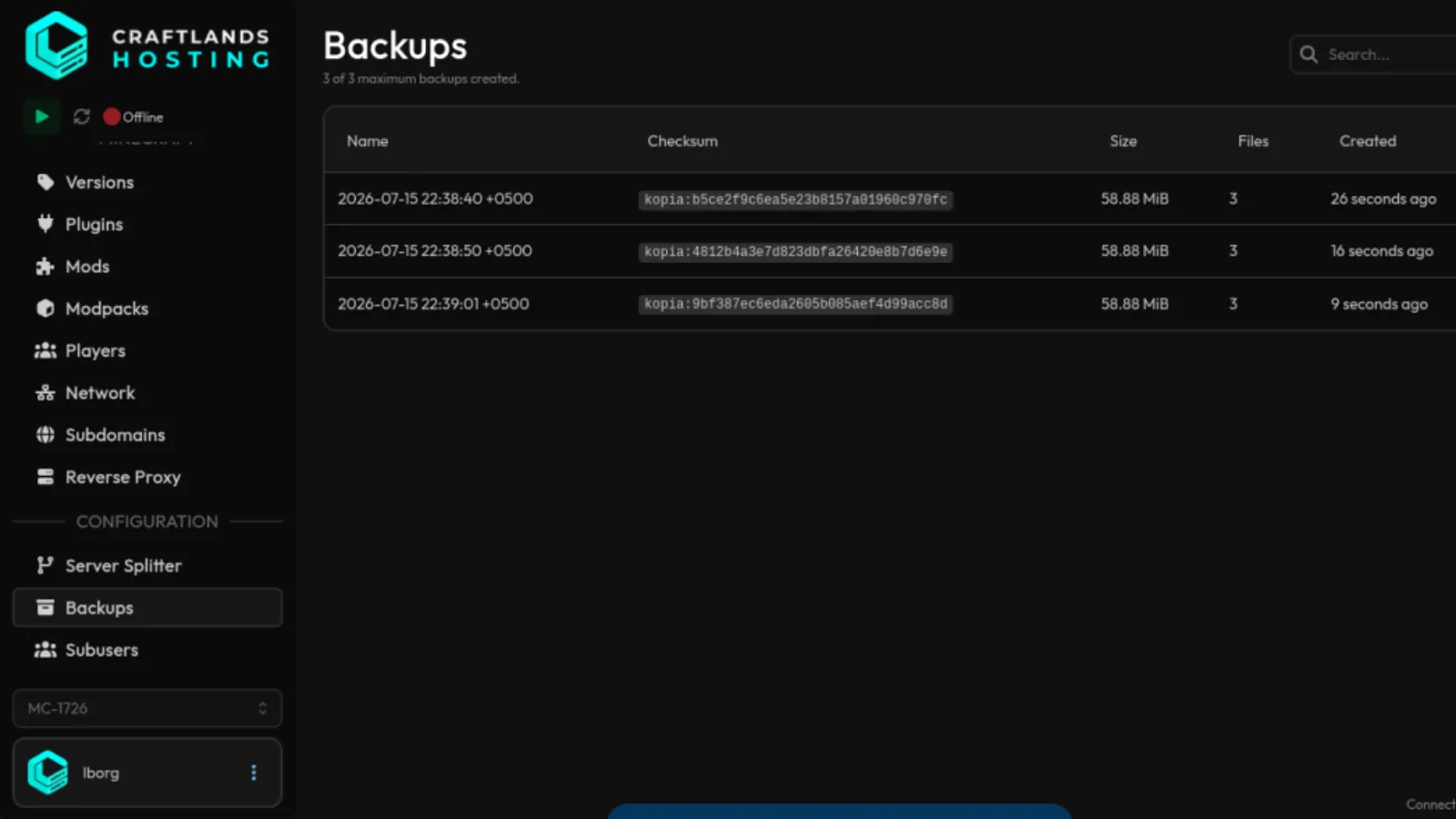

How to Create a Backup of Your Minecraft Server
Why we Use Backups
Backups are used to save a copy of your Minecraft server in case it gets corrupted, deleted, or encounters other issues. With backups, you can restore the server to the state it was in when the backup was created.
How to Create a Backup
In order to create a backup, you first need to open and login to your Minecraft server's web-panel.
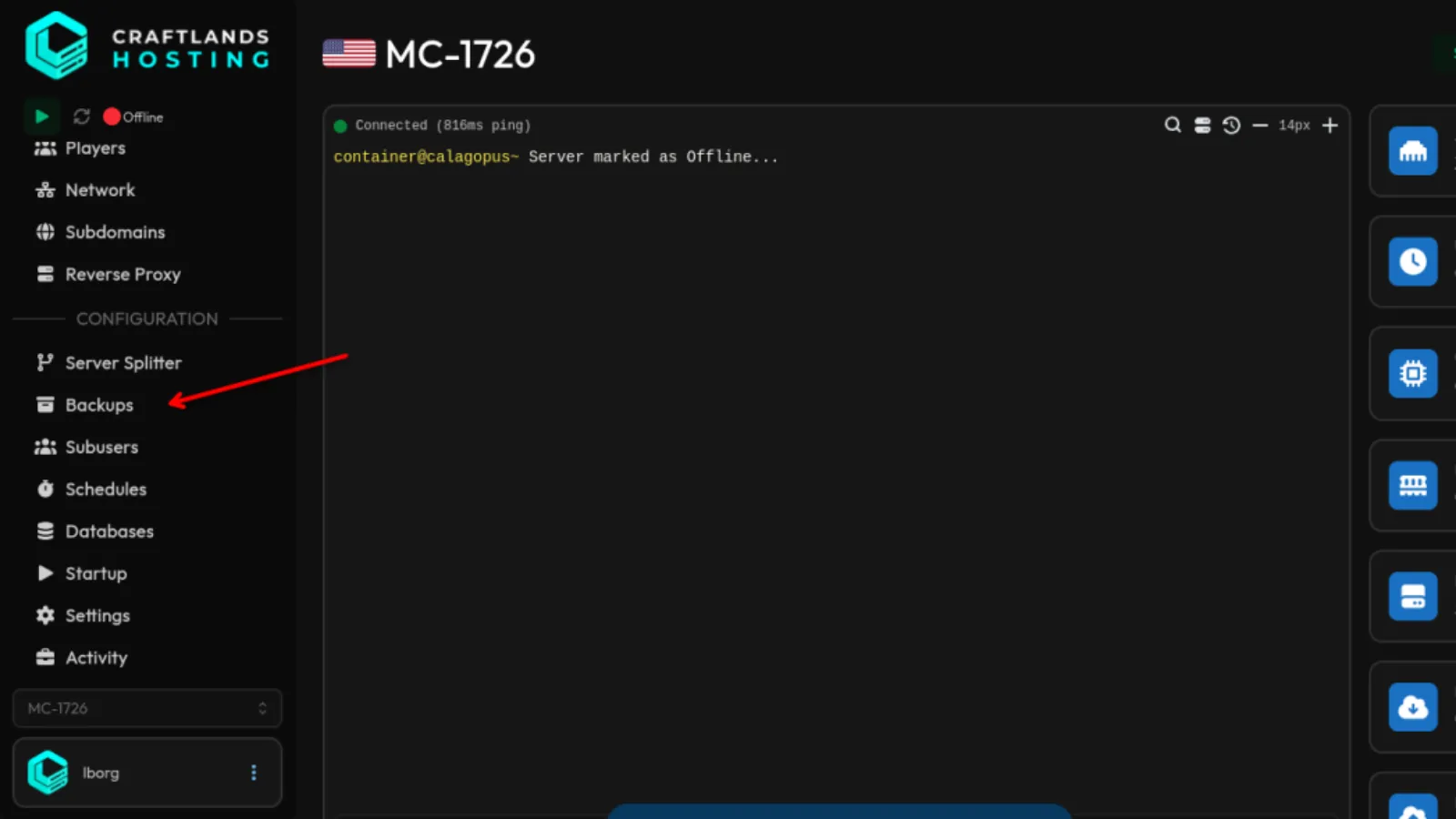
- Locate 'Backups' section in the Sidebar and click on it.
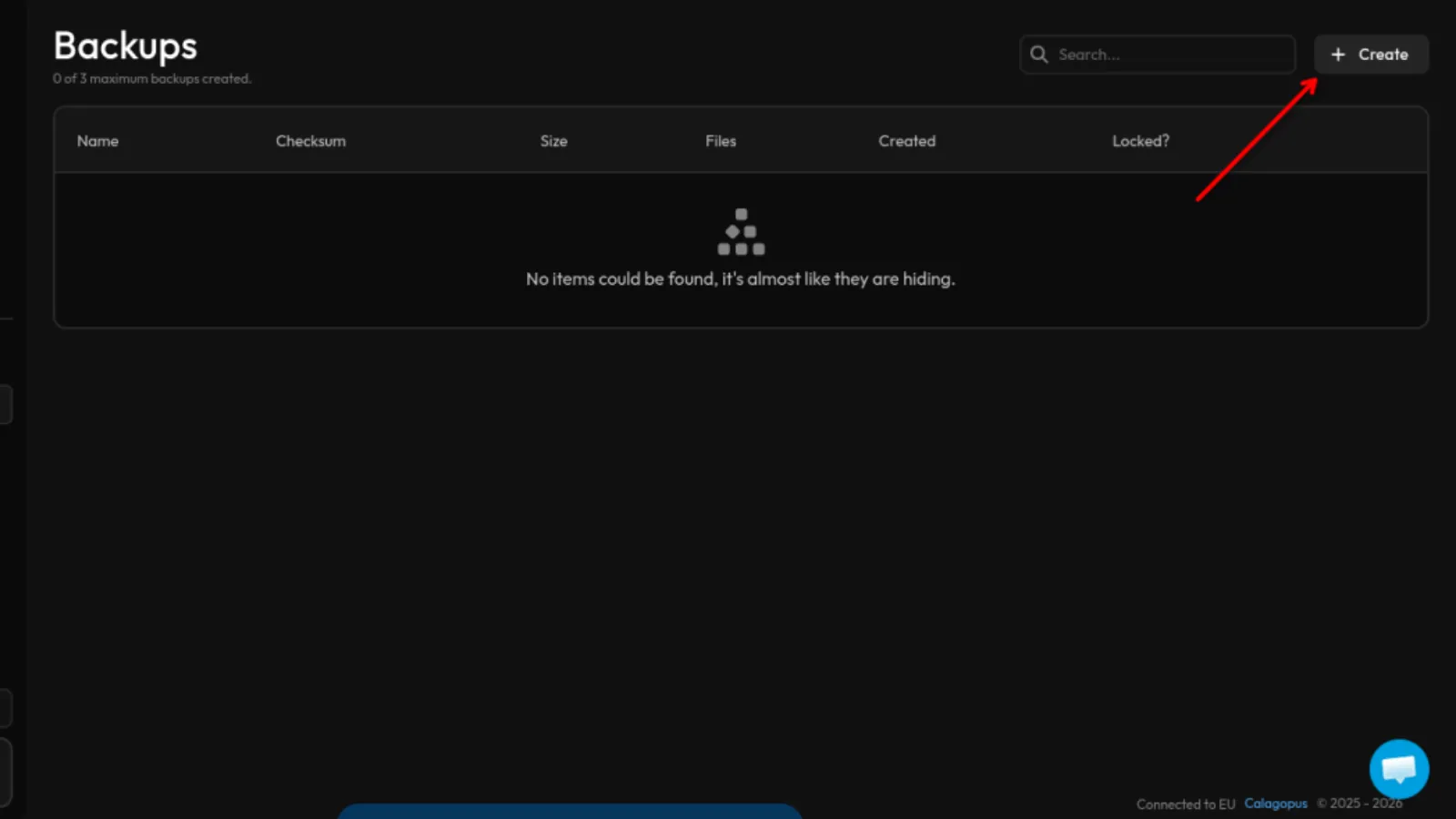
- Click on the 'Create' button, you may find it on the top right of your screen.
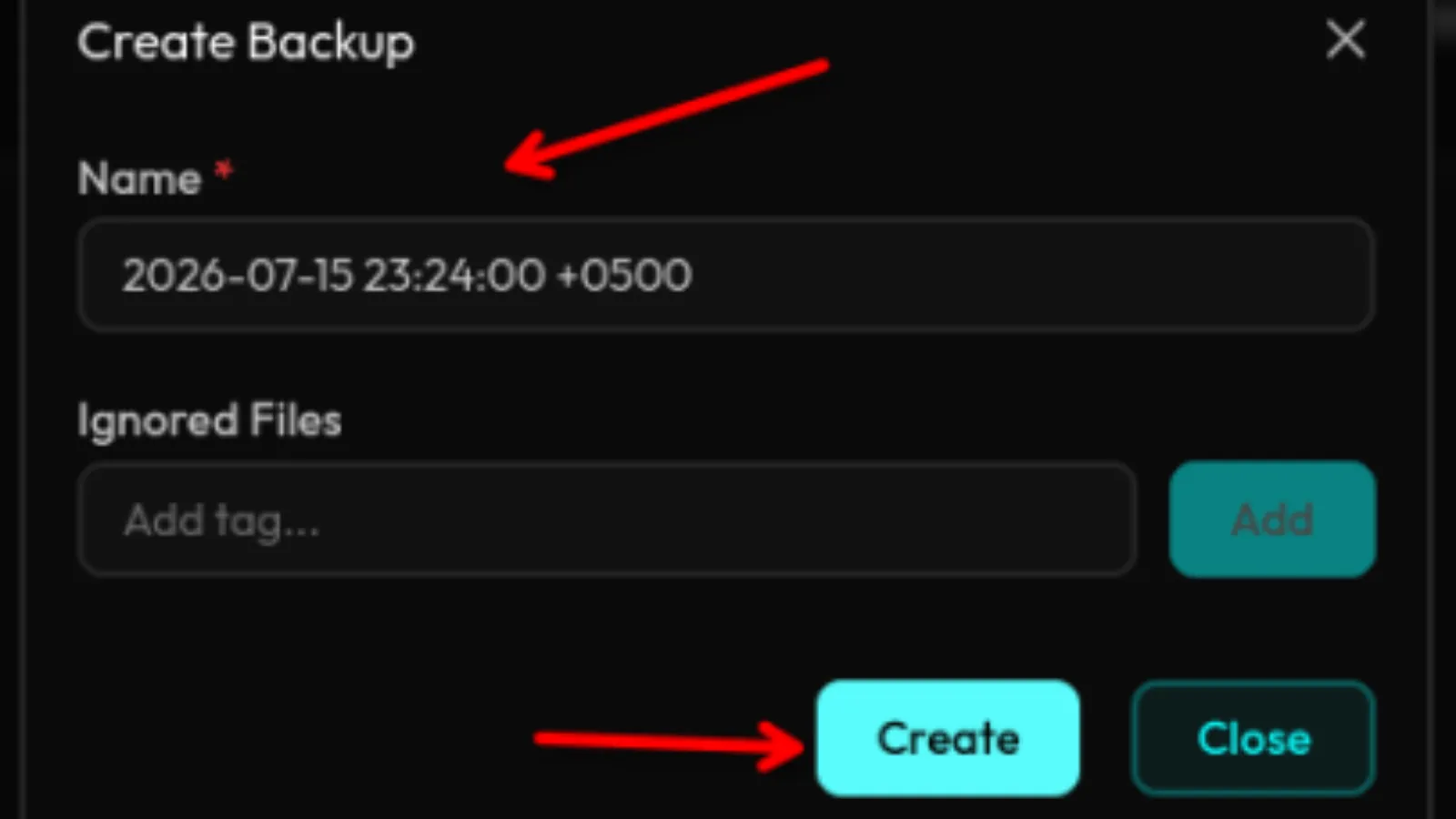
- After clicking the Create button, a modal will appear asking for a name for the backup. You can give your backup any name you want, such as a date or a descriptive name and then click on Create button again.
A date as the backup name is recommended because it makes backups easier to identify.
The backup has now been created and is ready to use whenever you need it.
How to Use a Backup
To use a backup that you have already created, open the Backups section in the sidebar. There, you will see all the backups you have previously created.
- Click on the kebab menu of your backup and then click the Restore button.
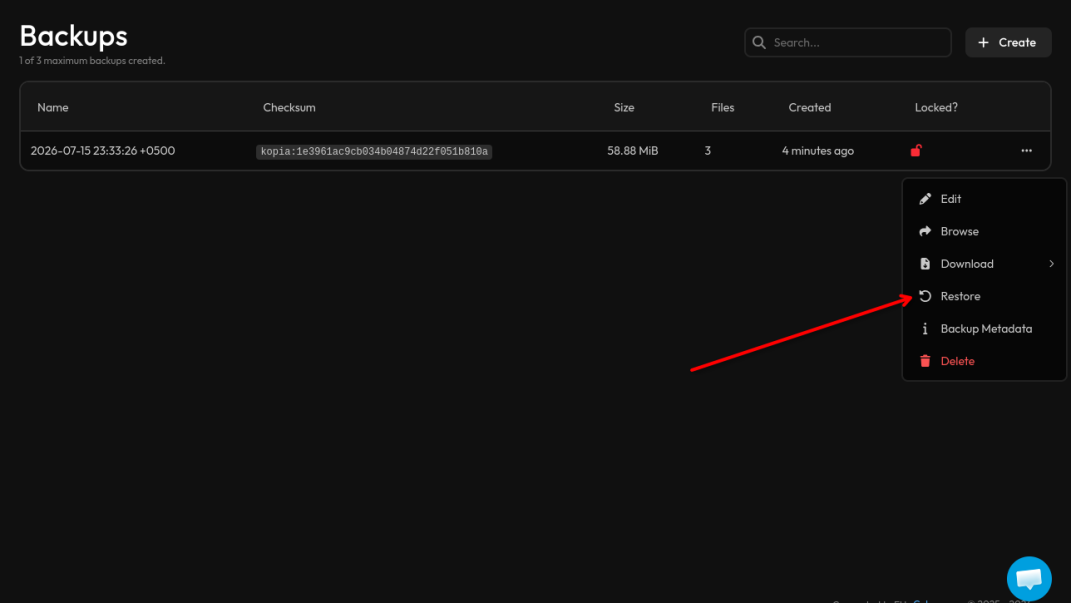
After you click the restore button, a modal will appear and gives you two checkmarks:
- Delete All FIles: You will have to checkmark this option because it is necessary.
- Restore Startup Commands: Checkmarking this is optional but recommended.
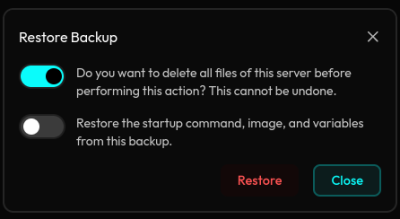
This will restore the backup you stored in the panel.
Make sure to download important files and folders from the server before using a backup.